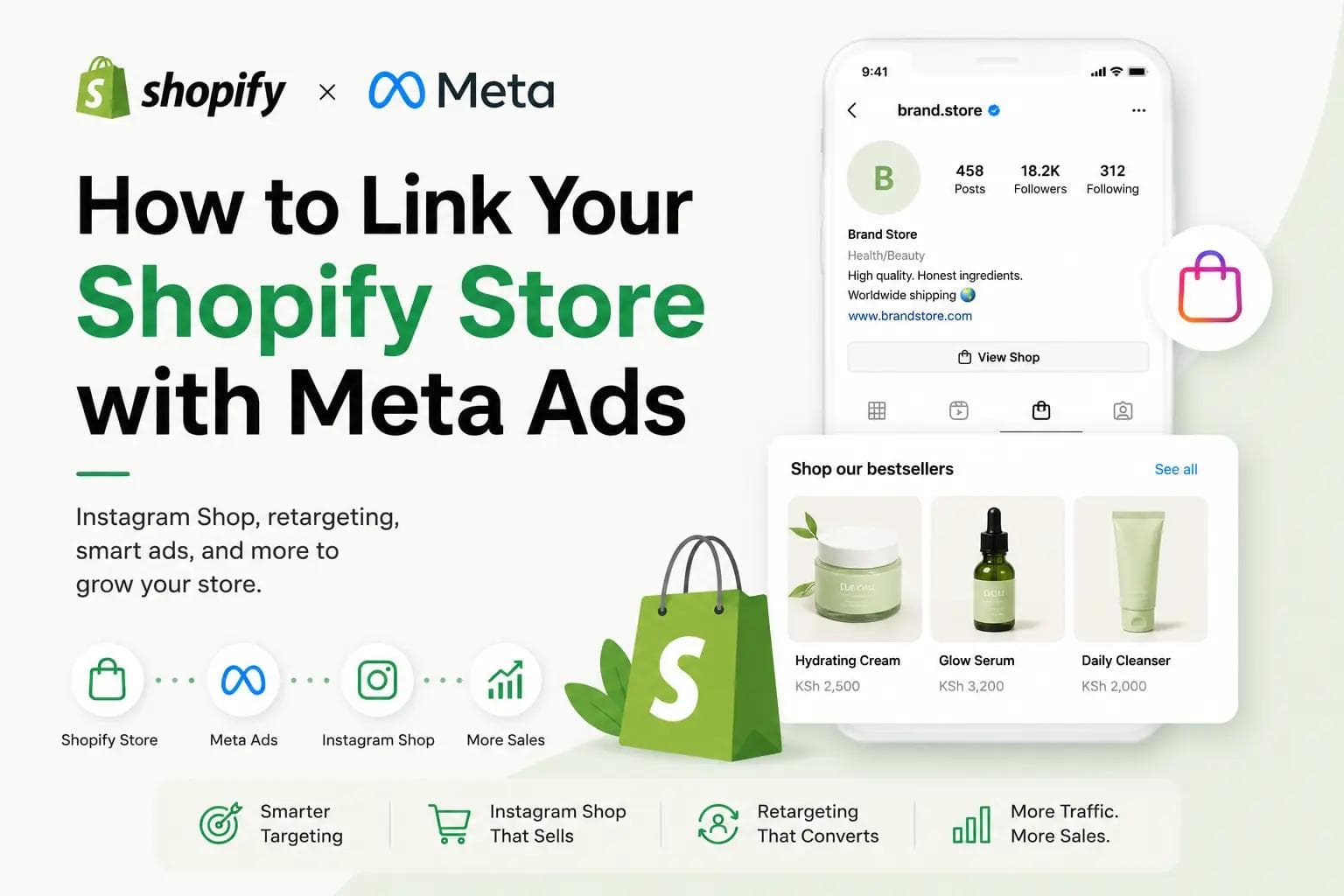
Have you ever come across a brand on Instagram, tapped on a product, browsed it right there in the app, and thought, wait… can my Shopify store do this too? Or maybe you’ve visited a random website, checked out a product, left without buying… and then suddenly that exact same product starts following you around on Instagram and Facebook. At that point you’re probably wondering, what wizardry is this? The good news is, it’s not magic, it’s actually Shopify and Meta working together behind the scenes.
In this article, I answer some of the most common questions store owners have about linking Shopify with Meta, Instagram Shop, checkout, ads, and how all of this can help grow your store.
So, let’s jump right in:
Q1: Is there a way to link my Shopify store with Meta Ads?
Yes, there is — and the good news is that Shopify makes this surprisingly straightforward.
Shopify has a native direct integration with Meta (Facebook and Instagram) through the Facebook & Instagram by Meta app. This connects your Shopify store to Meta and gives Meta the data it needs to run conversion-focused ads properly.
Once connected, Shopify automatically shares customer behavior events such as when someone views a page, opens a product, adds something to cart, starts checkout, or completes a purchase. Meta uses this information to understand what kind of shoppers interact with your store so it can show your ads to more people who are likely to buy.
In simple terms, Shopify helps Meta get smarter with your advertising.
Don’t Have a Shopify Store Yet?
Thinking about selling online but not sure where to start? Let us help you set up your store from store design and payments to product setup, customer journeys, and conversion-ready pages.
Book a Discovery CallQ2: Is there a way I can have my Shopify store as my single source of truth for my Instagram Shop too?
Yes., and this is actually how many modern ecommerce brands run their setup.
You may have noticed brands like Rhode Skin that have both a website and an Instagram Shop. This is usually a case of Instagram Shop layered on top of Shopify, with Shopify still acting as the central commerce engine.
When we say Shopify is the “single source of truth,” we mean that Shopify is the place managing your products, prices, inventory, stock counts, variants, discounts, orders, taxes, checkout logic, customer records, and analytics.
Instagram Shop does not replace Shopify. Instead, it acts like a storefront that displays the products pulled from Shopify. It can show your catalog, collections, tagged products in posts, and product pages inside Instagram or Facebook. So, if you update something in Shopify, for example, changing a product price or marking something out of stock, Meta updates too.
This is why many brands love this setup. You manage everything once in Shopify, but customers can discover your products in multiple places.

Sharp product images matter on Instagram and Facebook
Instagram and Facebook are visual platforms first. If your product photos are blurry, poorly lit, or not engaging enough, customers will just keep scrolling. Invest in sharp, clean, scroll-stopping images that make people curious to learn more.
Q3: What does the Instagram Shop experience look like for the customer?
If you have Instagram Shop enabled, customers will see a Shop button on your Instagram profile.
When they tap it, they can browse your products right there inside Instagram. They’ll see product images, prices, names, and collections without leaving the app.
You can also tag products directly in your posts, Reels, or Stories. So, imagine a customer is scrolling Instagram and sees a post featuring your product — maybe a lip treatment or skincare item. They tap the product tag, and Instagram opens a product information page within the app, showing the photos, description, price, variants, and other details pulled from your Shopify store.
It feels seamless because the customer doesn’t have to go searching for the product again.
Q4: Can I use Shopify Checkout on Instagram?
Yes, in most Shopify-connected Instagram Shop setups, customers still complete their purchase through Shopify Checkout.
Here’s how it works. The customer discovers the product inside Instagram, views the product details there, and when they’re ready to buy, they are redirected to your Shopify website checkout.
And no, they do not have to start over or go hunting for the product again. The product selection carries through, making the transition feel smooth.
This is actually a big advantage because Shopify remains in charge of checkout, payments, taxes, abandoned cart recovery, and order management.
Another nice thing is attribution. Shopify can tell you where orders came from, so if a sale started from Instagram or Meta ads, you can see that in your reports and make better marketing decisions.
Q5: What are some of the ads Shopify x Meta can help me run to gain more customers?
One of the biggest advantages of linking Shopify with Meta is that you move beyond simply boosting posts. You start running smarter ads based on real customer behavior.
A common one is the regular sales ad. This is where a customer sees a sponsored product post on Facebook or Instagram, taps it, and lands directly on your Shopify product page. From there, they can browse, add to cart, and buy. Shopify then sends signals back to Meta telling it what happened, such as whether the customer viewed the product, added it to cart, or purchased.
This helps Meta improve future targeting.
Another powerful one is the retargeting ad. Let’s say someone visits your Shopify store, looks at a lip balm, but leaves without buying. Later, as they scroll Instagram or Facebook, Meta can show them that exact product again. It’s like a more subtle and strategic way of reminding interested customers to come back.
Then there are dynamic catalog ads, where Meta automatically shows different products to different people depending on what they browsed or what they are likely to be interested in.
You can also use Meta for audience-building campaigns, where the goal is not immediate sales, but exposing your store to new people who may become customers later.
And if you are running promos, launching a new collection, or announcing something exciting, Meta can help you amplify those store updates through sponsored posts and campaign ads.
Video ads often perform better
If you’re running product ads, don’t sleep on video. Videos grab attention faster, show the product in action, and help customers imagine using it. On platforms like Instagram and Facebook, that extra engagement makes a big difference.
Q6: What do I gain from linking my Shopify store with Meta Ads?
The biggest win is that you reduce friction between discovery and purchase.
Instead of a customer seeing your product on Instagram, going to your bio, opening your website, searching for the item, and then trying to buy, they can simply tap the product and move much faster toward purchase.
You also unlock direct purchase ads, abandoned visitor retargeting, catalog ads, and even WhatsApp-assisted sales depending on how your store is set up.
Operationally, it makes life easier too. You don’t manage inventory separately for your website, Instagram Shop, Facebook Shop, and Meta ads. Shopify handles that centrally, and Meta simply pulls from that data.
Another underrated advantage is creator and influencer marketing. If you work with creators, they can tag your products directly in content, and customers can tap and go straight to that exact product page instead of asking “where can I buy this?”
That small reduction in friction often makes a big difference.
And of course, Meta’s ad engine keeps learning over time. The more customer behavior data Shopify sends back, the better Meta becomes at finding people who are likely to buy from you.
Need Help Setting Up Meta Ads for Your Shopify Store?
Connecting Shopify with Meta is one thing. Setting it up properly so it can actually track customers, run smarter ads, retarget visitors, and improve conversions is another. If you’d like help with Meta Ads, Instagram Shop, Shopify optimization, or a full growth setup, we’d love to help.
Let’s Set Up Your Store for GrowthFun fact: if your Shopify store is stalling, Meta Ads can help wake it up
Sometimes a Shopify store is not necessarily bad, it’s just not getting enough visibility.
Meta ads are one of the fastest ways to expose your store to new audiences, especially if you already have good products but low traffic.
They can also help you keep showing up in front of people who already visited your store but didn’t buy. Some people joke that Meta “keeps nagging customers”, but really, it’s just smart retargeting doing its job.
And here’s another Meta fun fact: Meta gets smarter the more data it receives. That means over time, as Shopify keeps feeding it customer behavior signals, your ad targeting can improve significantly.
So in many cases, linking Shopify with Meta is not just about running ads, it’s about building a smarter ecommerce growth engine over time.
Meta gets smarter the more Shopify data it receives
Every time a customer views a product, adds something to cart, or completes a purchase, Shopify sends signals back to Meta. Over time, this helps Meta better understand who your ideal customers are, making future ads more accurate and effective.