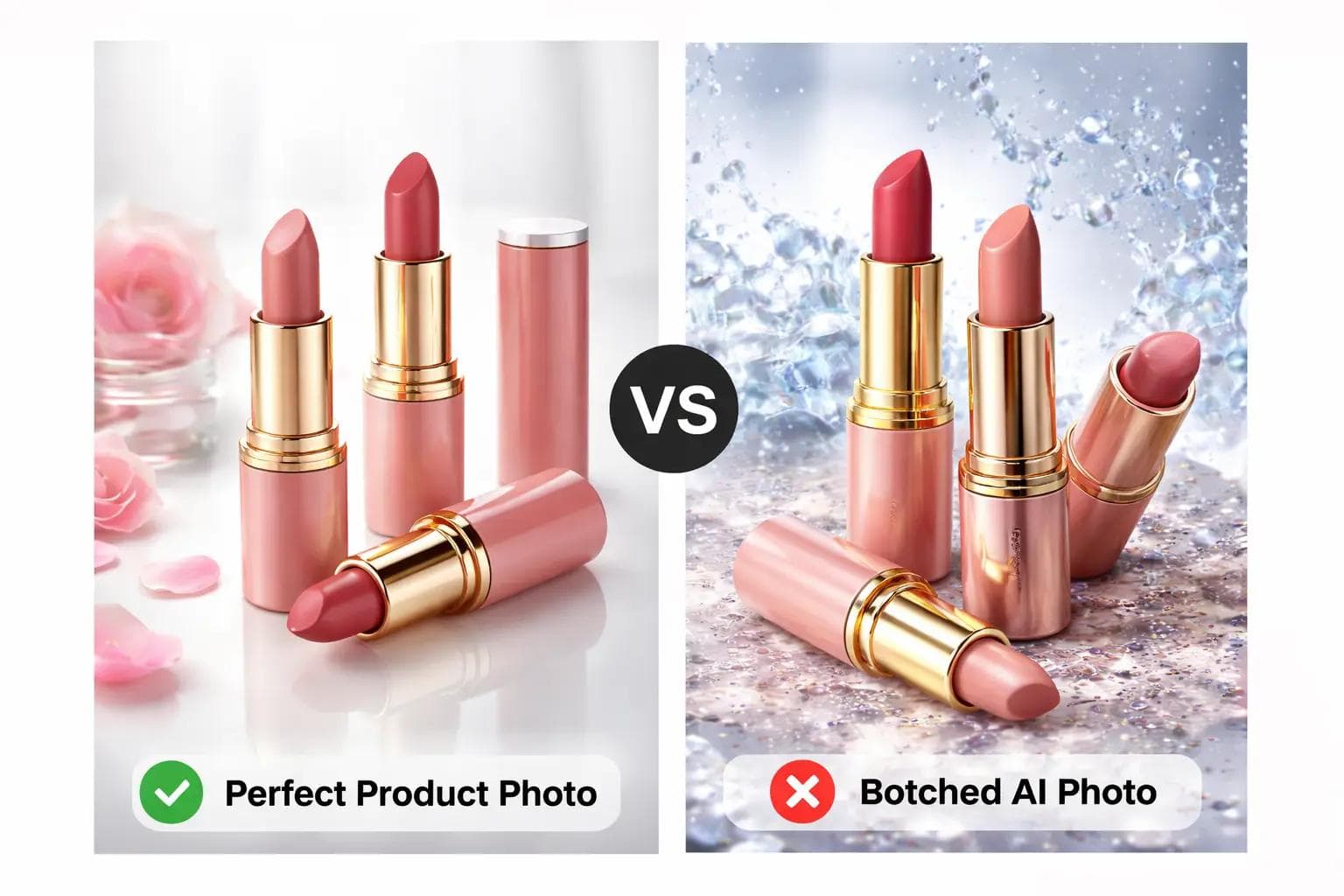
Using AI to Generate Product Photos: Dos & Don’ts
AI is no longer some out-of-reach concept. It’s now part of everyday life. Whether you’re editing emails, brainstorming ideas, planning schedules, or generating content, AI tools have quietly become assistants many of us rely on. For small business owners, one particularly exciting capability is AI’s ability to generate or enhance images.
Product photography can be stressful. Organizing photoshoots takes time, money, coordination, and energy. If you frequently update your products, packaging, or bundles, constantly booking shoots isn’t always practical. The good news? AI can help you create professional-looking product images quickly and affordably.
However, you must be careful, because the same AI can easily lead to unrealistic or unprofessional visuals.
First, an Important Prerequisite
AI should enhance reality, not replace it.
While it may be tempting to generate images entirely from prompts, doing so can create unrealistic expectations and damage customer trust.
DO: Start With a Real Photo of Your Product
This is the most important rule, and one many people miss. AI works best when refining an existing image rather than inventing a product from scratch.
Generating images purely from prompts can lead AI to:
- Change packaging details
- Alter product colors
- Add elements you don’t sell
- Create unrealistic textures
This quickly becomes misleading and potentially harmful to your brand. Best practice, take a simple photo using your phone, good lighting and clear framing are enough, then use AI to refine, clean, and polish the image.
Quick Definition: What is a “Prompt”?
A prompt is simply the instruction you give the AI. For example:
"Clean the background, improve lighting, and make this product photo look professional for an e-commerce website." Clear language will always give better results.
DO: Choose the Right Image Size & Ratio
Different platforms require different formats. For Website / Online Store Use square (1:1) images. Social Media (Instagram, Facebook, TikTok) Portrait (9:16) often performs better. For Banners / Ads use Landscape (16:9).
Consistency matters more than perfection.
DO: Keep Backgrounds Simple & Consistent
This is where many businesses go wrong. AI can create dramatic scenes such as splashes, smoke, fantasy environments.
While visually exciting, these often:
- Distract from the product
- Look obviously AI-generated
- Increase chances of visual errors
- Reduce perceived professionalism
Plain, minimal backgrounds on the other hand look:
- Cleaner
- More professional
- More trustworthy
- More consistent
Golden Rule:
Your product should be the star, not the background.
DO: Give Clear, Practical Instructions
Avoid vague prompts like: "Make it better." Instead, use specific instructions such as:
- Remove background and replace with clean white studio background
- Improve lighting while keeping colors accurate
- Sharpen product details for e-commerce display
Choosing the Best AI Tools
There are many AI image tools available today, both free and paid. Some of the most reliable options include:
- Gemini
- Bing Image Generator
- ChatGPT
- Claude
- Grok
Most modern tools are capable enough for small business needs. In real sense though, your ability to give clear prompts matters more than the platform you use.
Conclusion
AI is an incredibly valuable tool for small business owners. If used wisely, it can:
- Save time
- Reduce costs
- Maintain visual consistency
Want Help Polishing Your Product Images?
If you're unsure how to achieve clean, professional visuals using AI, feel free to reach out. I’d be happy to guide you toward a workflow that fits your brand.
~ Faith Shumia